Overview
Project Description
This project page now covers two personal shader projects: HelloShaders, which focuses on lighting fundamentals, and GleamingTheCube, which expands into material and scene effects. Together, they show a progression from basic color/texture output into more complete real-time rendering techniques.
I used these projects to build a stronger foundation in vertex shaders, pixel shaders, constant buffers, sampler states, coordinate space transformations, texture lookups, lighting contribution functions, and shader technique setup.
HelloShaders
Lighting and material fundamentals, including ambient lighting, diffuse lighting, Phong, Blinn-Phong, point lights, spotlights, multiple lights, texture mapping, and particle shader experiments.
GleamingTheCube
More advanced material/scene effects, including normal mapping, environment mapping, displacement mapping, fog, transparency mapping, and skybox sampling.
Picture Block
Blinn-Phong Lighting
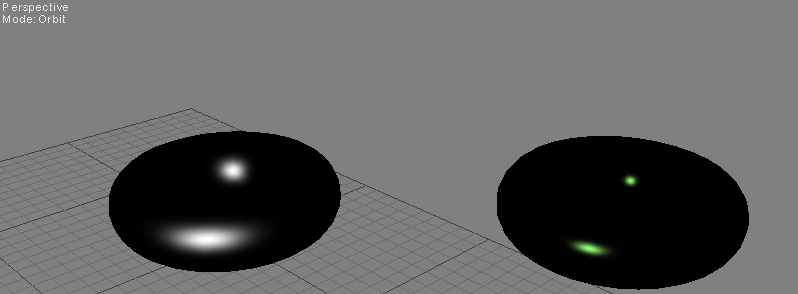
A lighting pass focused on combining ambient, diffuse, and specular terms for a cleaner material response.
Snippet Block
Half-Vector Specular
float4 pixel_shader(VS_OUTPUT IN) : SV_Target
{
    float3 normal = normalize(IN.Normal);
    float3 lightDirection = normalize(IN.LightDirection);
    float3 viewDirection = normalize(IN.ViewDirection);
    float n_dot_l = dot(lightDirection, normal);

    float4 color = ColorTexture.Sample(ColorSampler, IN.TextureCoordinate);
    float3 ambient = AmbientColor.rgb * AmbientColor.a * color.rgb;
    float3 diffuse = (float3)0;
    float3 specular = (float3)0;

    if (n_dot_l > 0)
    {
        diffuse = LightColor.rgb * LightColor.a * saturate(n_dot_l) * color.rgb;
        float3 halfVector = normalize(lightDirection + viewDirection);
        specular = SpecularColor.rgb * SpecularColor.a *
            min(pow(saturate(dot(normal, halfVector)), SpecularPower), color.w);
    }

    return float4(ambient + diffuse + specular, 1.0f);
}
Technical Block
Multiple Lights Shader
This shader collects lighting from multiple sources into one final contribution. The directional light establishes the broad scene lighting, point lights add local intensity, and the spotlight uses angular falloff so the effect feels more controlled.
- Uses a shared light contribution data structure.
- Loops through point lights with an unrolled loop.
- Uses distance attenuation and spotlight cone falloff.
- Keeps the pixel shader organized around reusable lighting functions.
Snippet Block
Point + Spotlight Loop
[unroll]
for (int i = 0; i < lightCount; i++)
{
    lightContributionData.LightDirection = get_light_data(
        PointLights[i].Position,
        IN.WorldPosition,
        PointLights[i].LightRadius
    );

    lightContributionData.LightColor = PointLights[i].Color;
    totalLightContribution += get_light_contribution(lightContributionData);
}

float spotFactor = dot(normalize(SpotLight.Direction), -directionalToLight);
float spotAttenuation = smoothstep(cos(SpotLight.SpotAngle), 1.0f, spotFactor);
float attenuation = saturate(1.0f - distance / SpotLight.LightRadius) * spotAttenuation;
Picture Block
Multiple Lights Shader
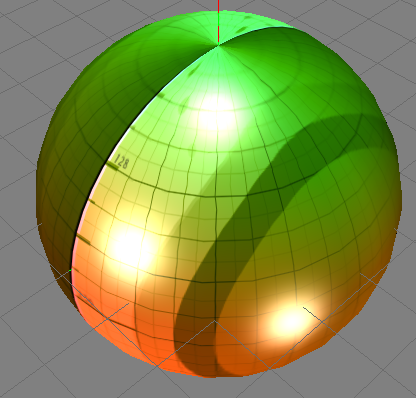
A scene preview showing multiple light sources affecting the same material.
Snippet Block
Normal Mapping
float3 sampledNormal =
    (2 * NormalMap.Sample(TrilinearSampler, IN.TextureCoordinate).xyz) - 1.0;

float3x3 tbn = float3x3(IN.Tangent, IN.Binormal, IN.Normal);
sampledNormal = mul(sampledNormal, tbn);

LIGHT_CONTRIBUTION_DATA lightContributionData;
lightContributionData.Color = ColorTexture.Sample(TrilinearSampler, IN.TextureCoordinate);
lightContributionData.Normal = sampledNormal;
lightContributionData.ViewDirection = normalize(IN.ViewDirection);
lightContributionData.LightDirection = float4(IN.LightDirection, 1);

float3 lightContribution = get_light_contribution(lightContributionData);
Technical Block
Normal Map Workflow
The normal mapping shader samples a tangent-space normal map, remaps the sampled color from [0..1] into [-1..1], then transforms that value through the TBN matrix so it can be used for lighting in world space.
- Samples a normal texture using a trilinear sampler.
- Builds a tangent/binormal/normal basis.
- Feeds the transformed normal into the same lighting contribution path.
Picture Block
Material / Texture Preview
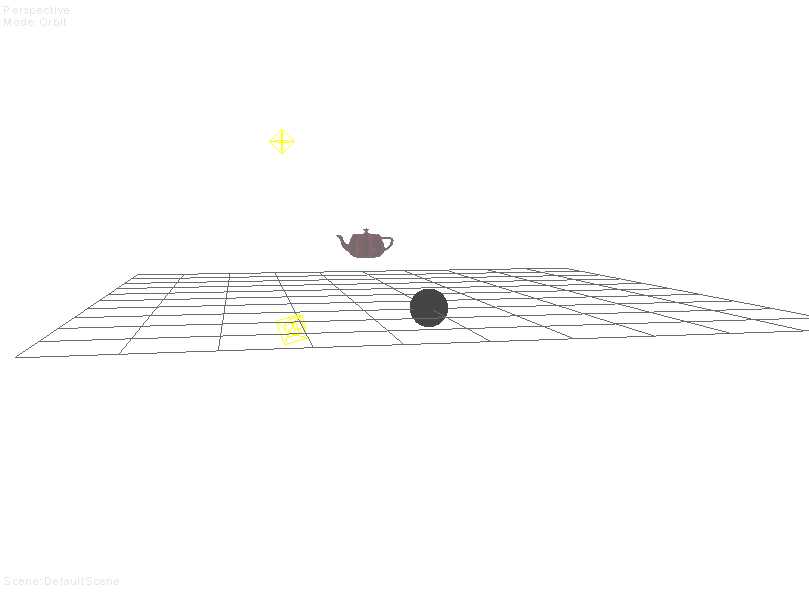
A material preview image for demonstrating texture and lighting experiments.
Snippet Block
Environment Reflection
float3 worldPosition = mul(IN.ObjectPosition, World).xyz;
float3 incident = normalize(worldPosition - CameraPosition);
float3 normal = normalize(mul(float4(IN.Normal, 0), World).xyz);

// Reflection Vector for cube map: R = I - 2 * N * (I.N)
OUT.ReflectionVector = reflect(incident, normal);

float3 environment = EnvironmentMap.Sample(TrilinearSampler, IN.ReflectionVector).rgb;
float3 reflection = get_vector_color_contribution(EnvColor, environment);
OUT.rgb = lerp(ambient, reflection, ReflectionAmount);
Technical Block
Environment Mapping
The environment mapping shader calculates a reflection vector from the camera-to-surface direction and the world-space normal, samples a cube map with that vector, and blends the result against ambient lighting.
- Uses
reflect() for cube map lookup direction.
- Samples from an environment map texture.
- Uses a reflection amount value to control the final blend.
Picture Block
Distance-Based Fog Shader
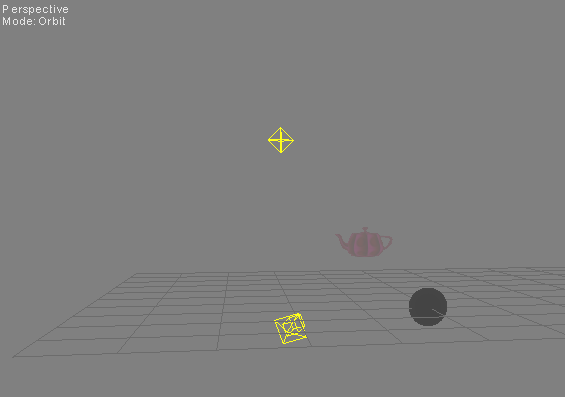
The fog effect uses camera-to-surface distance to fade the lit material into a controllable fog color, giving the scene more atmospheric depth.
Snippet Block
Distance-Based Fog Factor
float get_fog_amount(float3 viewDirection, float fogStart, float fogRange)
{
    return saturate((length(viewDirection) - fogStart) / fogRange);
}

float3 worldPosition = mul(IN.ObjectPosition, World).xyz;
float3 viewDirection = CameraPosition - worldPosition;
OUT.ViewDirection = normalize(viewDirection);
OUT.FogAmount = get_fog_amount(viewDirection, FogStart, FogRange);

// Pixel shader: push distant surfaces toward the fog color.
float3 litSurface = ambient + light_contribution;
OUT.rgb = lerp(litSurface, FogColor, IN.FogAmount);
Technical Block
Fog Falloff Control
The shader calculates fog as a normalized distance range instead of applying a flat overlay. FogStart controls where the atmosphere begins, FogRange controls how gradually it builds, and saturate() clamps the final blend so nearby objects stay clear while distant objects fade smoothly.
- Computes fog from camera-to-surface distance in world space.
- Passes a fog factor from the vertex shader into the pixel shader.
- Blends the final lit surface color toward
FogColor.
Technical Block
Techniques Practiced
- Vertex-to-pixel shader data flow
- Ambient, diffuse, Phong, and Blinn-Phong lighting
- Directional, point, and spot light behavior
- Normal mapping with tangent-space conversion
- Environment mapping using cube map reflection vectors
- Fog, transparency, skybox, and displacement experiments
- Texture coordinate correction and sampler setup
Picture Block
Skybox Material
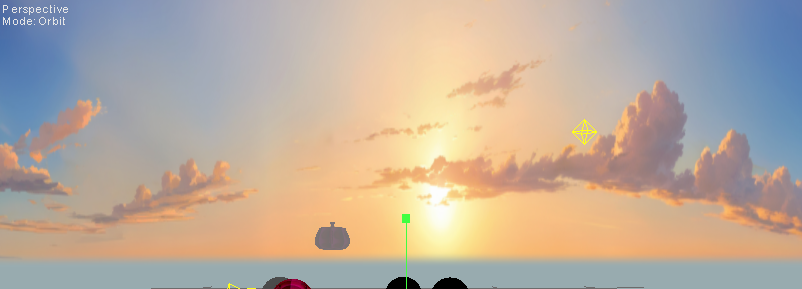
The skybox shader samples a cube texture using the object-space position as the lookup direction.